7 Insane IPTV Smarters Pro Setup Hacks You Need Now!
Table of Contents
What is IPTV Smarters Pro and Why Do You Need It?
IPTV Smarters Pro is a premium video streaming player that lets you manage and view your online media streams. It is incredibly important to understand that this application does not provide any built-in channels or content playlists on its own. Instead, it functions as a shell that organizes your media when you configure a separate premium service.
The software has earned immense popularity because it bridges the gap between raw data streams and a user-friendly cable TV interface. It delivers elite features like an Electronic Program Guide, automated channel categorization, and a dedicated section for movies or series. This tool empowers cords-cutters to aggregate their digital content into one elegant dashboard.
To unlock the true power of this software, you will need a highly stable service connection to feed data into the player. Selecting the right premium subscription plan ensures you enjoy zero buffering and a comprehensive channel inventory. For the ultimate visual experience, explore the flexible Xtrem HD IPTV Pricing Packages to find an affordable, feature-rich subscription plan that perfectly feeds your application.
Step-by-Step IPTV Smarters Pro Setup for Firestick & Fire TV
Amazon Firestick devices run on an Android-based operating system, which requires a slight workaround since the app is not hosted on the standard Amazon Appstore. You must prepare your system by downloading an authorized sideloading application. First, navigate to the main settings gear icon on your home screen and select the My Fire TV tab. From there, locate Developer Options and ensure that apps from unknown sources are switched to the on position.
Next, return to the main dashboard search bar to locate and install the popular Downloader application. Open this downloader utility tool and type the specific digital shortcode or direct APK address for the official software installation package. Once the downloading progress bar completes, click the install button on the screen prompt to finalize the application profile. You can now launch the system directly from your recent apps library to begin the process.
Firestick Configuration Step
Core Action Required
Estimated Duration
Developer Options
Toggle Unknown Sources to Allowed
60 seconds
Downloader Utility
Install application from Amazon Store
60 seconds
APK Direct Source
Input secure link to download installer
90 seconds
Final Verification
Initialize system and select device layout
30 seconds
Quick Summary: Setting up the application on a Firestick takes just four simple phases. By unlocking developer rights and utilizing a downloader, you bypass local marketplace restrictions safely.
How to Do an IPTV Smarters Pro Setup on Android and iOS Devices
Setting up your mobile system on Android platforms is incredibly straightforward because the app resides directly within the mainstream application architecture. Open your Android smartphone or Android TV Google Play Store search bar and look for the official developer software profile. Tap install to let the system pull down the latest stable software version to your local device storage. Once installed, launch the interface to start mapping out your preferred entertainment categories.
Apple ecosystem users on iPhone, iPad, or Apple TV devices will follow an identical path through the local Apple App Store. The listing might appear under slightly modified names such as Smarters Player Lite due to localized structural marketplace guidelines. Download the app directly to your platform and accept the default security permissions to ensure proper network delivery. The core internal interface remains perfectly mirror-matched across both mobile ecosystems.
When launching the interface for the very first time on a mobile device, you will encounter a layout initialization screen. The system asks you to select your default skin architecture based on whether you are using a phone, a tablet, or a full television screen. Selecting the precise display module ensures text menus scale perfectly and touch controls remain responsive.
Configuration Guide: Loading Your Playlist Channels
Method 1: IPTV Smarters Pro Setup via Xtream Codes API (Recommended)
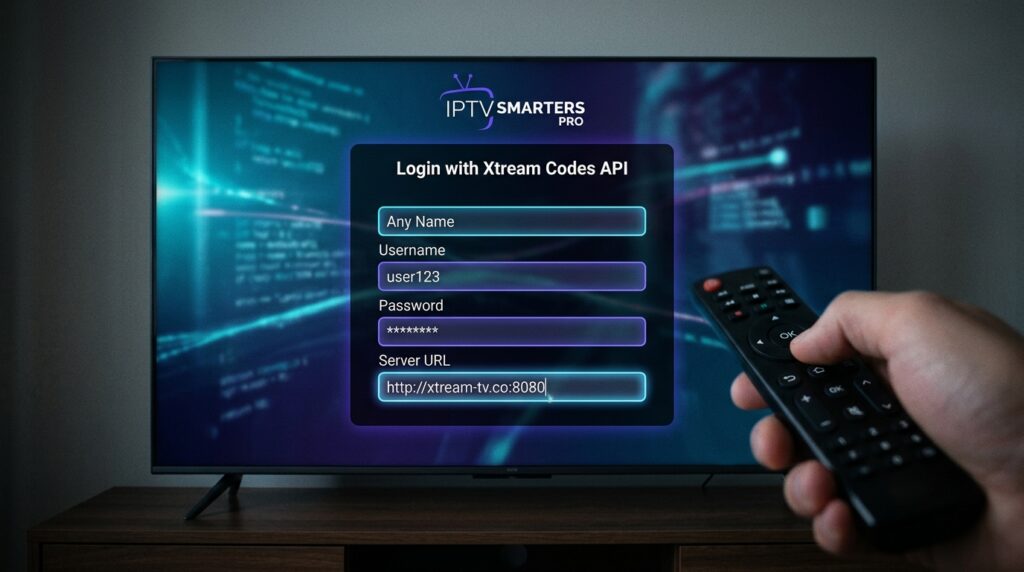
The Xtream Codes API integration serves as the most efficient mechanism for populating your streaming interface. When you invest in a premium streaming package, your service provider delivers three critical data components via text. You will receive a unique username, a corresponding password, and a dedicated server web address string.
Select the Xtream Codes login option from the home screen dashboard to bring up the data entry form. Carefully type your credentials into the designated boxes while paying close attention to case-sensitive letters. This particular API linkage loads your channels drastically faster and updates your program guide automatically without manual refreshes.
Method 2: IPTV Smarters Pro Setup via M3U URL or File
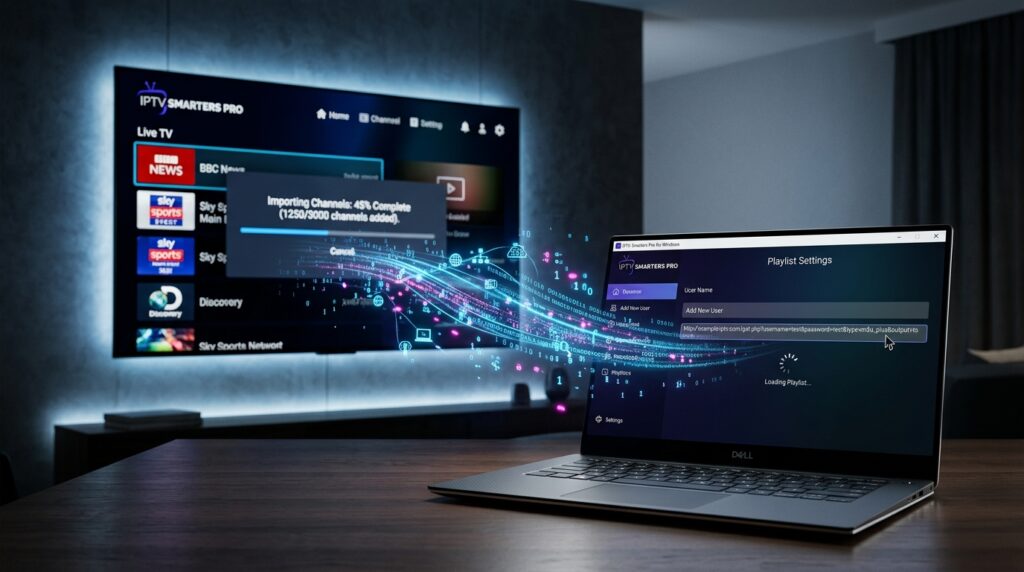
The classic M3U method relies on a single continuous web address line provided directly by your streaming host. Click the M3U option on the dashboard and give your playlist a recognizable custom name. Paste the entire link string directly into the URL field, ensuring there are no hidden spaces at the start or end of the text.
Alternatively, if your host sent a physical downloaded playlist file, you can upload it directly from your hard drive partition. This traditional methodology imports all channels sequentially but can sometimes take longer to compile large content libraries during cold boot-ups.
To complete either data ingestion method seamlessly, you must connect a functional Electronic Program Guide path. The application uses this data feed to build the visual grid scheduling system that mirrors traditional cable boxes. Simply insert the EPG web link into the advanced settings panel to synchronize your time zones and live channel listings.
Smart TV IPTV Smarters Pro Setup (Samsung & LG)
Modern Samsung Smart TVs utilize the proprietary Tizen OS platform, which fortunately hosts the streaming software directly inside its catalog. Use your physical remote control to navigate straight into the Samsung App Store engine. Search for the app name and download it directly onto your display panel’s integrated flash memory. For legacy television models lacking this integrated option, you can execute a sideload by formatting a FAT32 USB drive with the installation files.
LG Smart TVs running webOS present a similarly simple path through their built-in application store front. Turn on your television, launch the LG Content Store, and locate the official software package using the on-screen keyboard. Click the install toggle to append the video engine to your main dashboard menu bar. If regional marketplace restrictions hide the software, changing your TV service location settings to the United States will unlock it instantly.
Should your older smart television lack an integrated application library entirely, do not worry about buying a brand-new panel. You can easily overcome this software limitation by linking a secondary Android streaming brick or casting from your smartphone. For optimal performance, always pair these setups with a premier service network like Xtrem HD IPTV, which guarantees incredible uptime across television architectures.
PC and Mac IPTV Smarters Pro Setup Guide
Desktop and laptop computers offer incredibly robust processing power that can significantly improve your overall viewing experience. Windows users must navigate to the Microsoft Store or the official developer website to acquire the correct execution file. Download the current .exe package, double-click the installer icon, and step through the standard storage directory assignment wizard. Once installed, the application functions as a self-contained environment on your desktop.
Apple Mac users will follow a nearly identical methodology by pulling down the corresponding .dmg distribution package. Drag the file icon directly into your main Applications system folder to finalize the deployment profile. You may need to grant an explicit security override within your Mac System Settings panel to allow a third-party developer engine to run.
The desktop client contains highly specialized optimization settings that are not available on low-powered mobile versions. Navigate to the internal video engine properties tab and activate hardware acceleration parameters. This configuration offloads heavy video decoding duties to your dedicated graphics card, which completely eliminates frame drops during high-bitrate 4K sports streaming.
How to Troubleshoot IPTV Smarters Pro Setup Errors and Buffering
Fixing Invalid Details and Login Failures
The absolute most common error encountered by users during initial configuration is the dreaded invalid details alert. This error occurs almost exclusively due to typing mistakes made during the credential input process. Double-check your server link string to confirm it includes the exact port numbers required by your data provider. Additionally, ensure your subscription is currently active and has not expired by verifying your status on the web host dashboard.
Eliminating Buffering and Lag
If your live streams are constantly stopping or stuttering, your system is likely experiencing network data delivery bottlenecks. Open the application settings panel, go to player properties, and increase the default buffer size from normal to high. This action creates a larger data safety net in your memory to absorb sudden internet fluctuations. You can also swap the internal default media engine to external players like VLC to handle complex digital audio and video codecs much smoother.
Clearing Cache and Data
Over months of heavy use, the application accumulates an immense volume of temporary data tracking files. This digital clutter can gradually bog down the system, leading to unexpected crashes or slow menu navigation. Go to your hardware device application settings, select the software profile, and tap the clear cache button. This maintenance task flushes out junk data without erasing your saved playlist credentials.
Expert Insight: Many internet service providers actively limit connection speeds when they detect high-volume media streaming traffic on your home network. Activating a secure VPN creates an encrypted tunnel that hides your data, stopping ISP throttling and instantly ending artificial buffering loops.
Advanced Features to Customize After Your IPTV Smarters Pro Setup
Setting Up Parental Controls
Protecting younger family members from mature digital media libraries is incredibly simple to implement. Open the main settings control gear and click directly on the parental control option icon. The system will prompt you to establish a brand-new, unique master numerical access PIN. Once set, you can selectively hide specific adult channels or lock down entire video-on-demand categories behind the security wall.
Activating Multi-Screen Mode
Sports fans will absolutely love the integrated multi-screen capability built directly into the interface architecture. This feature allows you to open and monitor up to four distinct live broadcasts simultaneously on a single monitor. Select the multi-screen option from the home page dashboard and choose your preferred grid layout design. Simply assign a different channel link to each window frame to enjoy multiple games concurrently without missing a single play.
Configuring External Players
While the native integrated video engine handles basic streaming data decently well, it can struggle with advanced surround sound formats. You can fix this by linking advanced third-party engines like MX Player or Nova Player into the software core. Head to the external players settings tab, click add player, and select your downloaded software from the device directory list. Afterward, map your live TV or movie categories to open automatically through this newly integrated rendering engine.
Frequently Asked Questions About IPTV Smarters Pro Setup
Is IPTV Smarters Pro free to use?
Yes, the core software application is entirely free to download and use across all supported platforms. The development team offers an optional premium edition upgrade that unlocks custom branding layouts and cloud data synchronization features. However, the standard free edition contains every single feature necessary to enjoy high-quality daily video streaming.
Does IPTV Smarters Pro include live TV channels?
No, the application does not contain a pre-loaded channel guide or any built-in video streaming sources. It is strictly a media management player designed to interpret and display playlist data. To view content, you must acquire an independent subscription from a dedicated service network.
Why is my EPG not loading after setup?
Electronic Program Guide failures typically stem from an incorrect data source URL or time zone synchronization conflicts. Navigate to your EPG settings panel and click the manual clear data button, followed immediately by a hard refresh command. If the grid remains completely blank, your data host may be experiencing server maintenance, or their XML TV directory link has changed.
Can I use one setup on multiple devices?
The software itself can be installed on as many physical devices as you want without any restrictions. Your specific playlist provider determines the actual number of concurrent active video streams allowed. If you try to run more screens simultaneously than your subscription permit, your accounts will face temporary lockouts or severe stream buffering.
Conclusion & Final Checklist
Mastering your configuration transforms your standard hardware into a world-class entertainment command center. By utilizing the advanced Xtream Codes API connection method, you ensure your data channels load quickly and refresh flawlessly. Regular application maintenance, like clearing old cache profiles and running a secure network VPN, keeps your system running at maximum efficiency.
Before you sit down to enjoy your newly configured media environment, double-check your operational parameters. Verify your video player buffer levels are optimized, parental locks are safely implemented, and your EPG timeline matches your local clock. With everything tuned properly, you are completely ready to stream your favorite live networks and movies without an ounce of lag.
To visually walk through the installation process on Amazon hardware, you can watch this comprehensive IPTV Smarters Pro Firestick Tutorial Video. This step-by-step video guide visualizes the exact developer settings menu toggles and downloader applications needed to successfully deploy the player software.