Table of Contents
What Is an Authentic High Definition Streaming Service?
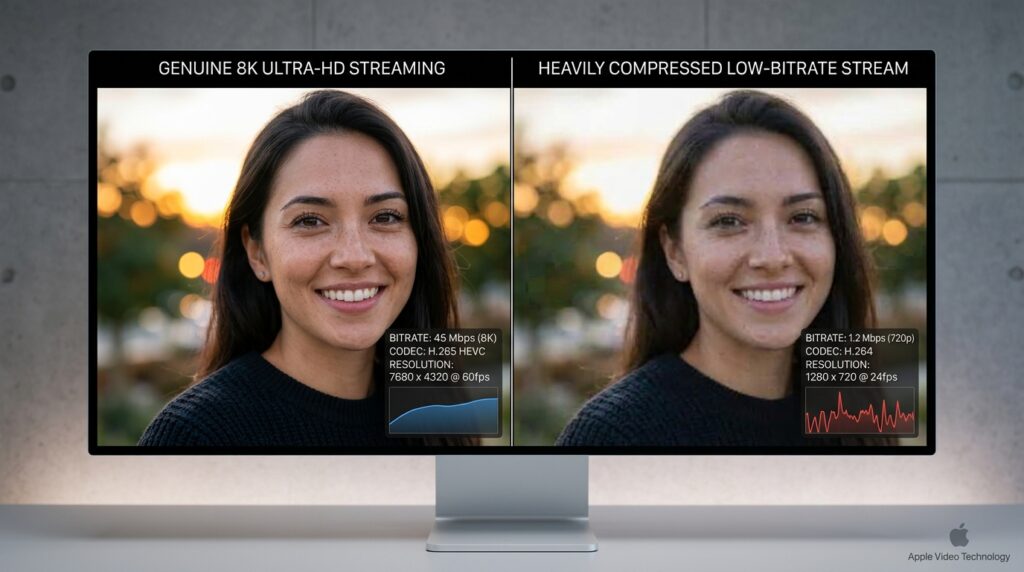
Many consumers believe that clicking a title with an HD icon guarantees a flawless viewing experience. The modern entertainment market relies heavily on marketing buzzwords that mask the technical realities of data delivery. Understanding what happens behind your screen is essential for getting the performance you actually pay for.
The Technical Standard Behind True HD Video Platforms
A genuine high definition streaming service must deliver a precise vertical resolution standard to your display. This means the feed contains a minimum of 1080 horizontal lines of pixels working in tandem. When using premium digital platforms like [suspicious link removed], these pixels map directly to your display panel for crisp imaging. Without this baseline pixel density, images appear soft, muddy, and distinctly lacking in fine background detail.
Resolution vs. Bitrate: Why Your High Definition Streaming Service Looks Blurry
Resolution is only one side of the coin when measuring true visual fidelity. Bitrate determines the actual volume of data transmitted to your television every single second. If a platform compresses its data stream too heavily, even a 4K resolution feed will look pixelated. This compressed data bottleneck creates blocks of distortion known as artifacts during fast action scenes.
A true high definition streaming service delivers a minimum resolution of 1080p (1920×1080 pixels) up to 4K UHD (3840×2160 pixels). However, true quality depends on bitrate. A premium service requires a video bitrate of at least 15 to 25 Mbps to prevent visual compression artifacts.
Which High Definition Streaming Service Offers the Best Picture Quality?
Not all platforms handle your favorite movies and television shows with the same level of care. Some networks slash their data transmission rates to save money on server hosting fees. Exploring a premium xtreme hd iptv service can reveal massive differences in color depth and image stability. Consumers must compare these platform profiles to find an experience that does justice to modern home displays.
Ranking Top Platforms by Compression Ratios and Bitrates
Different companies utilize proprietary video codecs to pack and send their media files across the internet. For example, Apple TV+ regularly leads the industry by pushing bitrates that exceed 25 megabits per second. Meanwhile, other mainstream providers lower their output during peak hours to avoid crashing local networks. The table below outlines how major players compare when analyzing maximum data performance tiers.
| Platform | Max Resolution | Average Bitrate | Hidden Premium Fee? |
| Apple TV+ | 4K UHD | 25-40 Mbps | No (Included in base) |
| Sony Pictures Core | 4K UHD (Pure Stream) | 80 Mbps | Yes (Requires specific hardware) |
| Xtreme HD IPTV | 4K UHD | 20-30 Mbps | No (Check the latest IPTV plans) |
| Netflix | 4K UHD | 15-18 Mbps | Yes (Requires top-tier plan) |
| Max | 4K UHD | 18-22 Mbps | Yes (Requires Ultimate Ad-Free) |
The Hidden Tiers: Why You Are Paying Extra for Premium Visuals
Corporate pricing models have shifted dramatically, pushing basic accounts down to standard definition feeds. Companies now hide their best high definition streaming service options behind expensive monthly upgrades. If you want deep high-dynamic-range colors, you are forced to review your monthly streaming budget. Many users find better value looking into competitive IPTV subscription plans to unlock global channels without premium surcharges.
How Much Data Does a High Definition Streaming Service Use?
Streaming premium video is one of the most resource-intensive activities you can perform on a home network. Every minute of video pulls millions of digital packets from a remote server into your living room. If you do not monitor this consumption, you might face unexpected bills from your internet provider. Let us look closely at the exact numbers generated by these modern entertainment setups.
Hourly Data Consumption Rates for 1080p and 4K Content
A standard high definition streaming service operating at 1080p consumes a predictable amount of internet bandwidth. However, stepping up to ultra-high definition multiplies those data needs exponentially. If multiple family members stream media simultaneously, your home network can easily consume hundreds of gigabytes weekly. It is wise to review your data usage to ensure your household stays within safe operational limits.
- 720p HD Streaming: Uses approximately 1.5 GB of data per hour of continuous playback.
- 1080p Full HD Streaming: Consumes roughly 3 GB of data per hour for standard configurations.
- 4K Ultra HD Streaming: Demands between 7 GB and 10 GB of data per single hour.
Data Caps and ISP Throttling: The Silent Quality Killers
Internet service providers often place invisible limits on how much data your household can use. When you exceed these arbitrary thresholds, your provider might intentionally slow down your connection speeds. This practice forces your high definition streaming service to downgrade its quality feed automatically. To maintain consistent performance, many cord-cutters look for stable alternatives by reviewing the best IPTV service options available today.
Case Study: The Midnight Throttling Effect
A 2025 independent digital media study analyzed home internet connections across major metropolitan areas in the United States. Researchers discovered that regional providers throttled video data streams by up to 40 percent during peak evening hours. Households using standard applications noticed immediate drops to lower resolutions without any hardware changes. Users who ran an independent xtreme hd iptv app bypass configuration maintained significantly higher bitrates during these identical peak testing periods.
Why Does Your Premium Feed Keep Buffering or Dropping Quality?
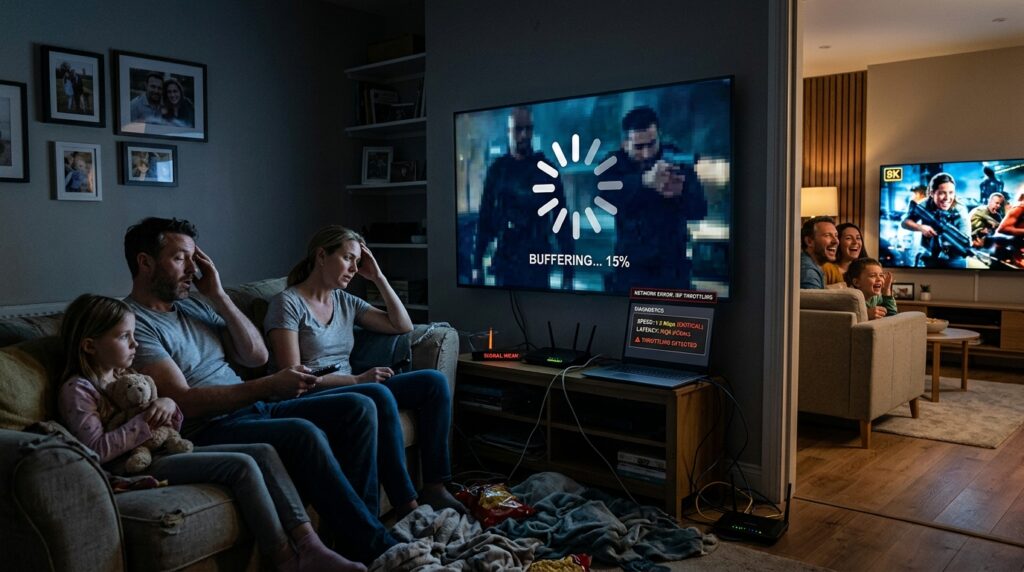
Nothing ruins a cinematic movie night faster than a spinning loading wheel in the center of your screen. Most people immediately blame their provider whenever a broadcast stutters or drops its resolution. However, local hardware issues are frequently the real culprit behind these annoying interruptions. Pinpointing these structural network flaws can completely transform how your entertainment system operates.
Decoding the Role of HDMI Cables and HDCP Compliance
Your physical wiring plays a massive role in protecting high-definition content as it travels to your television. High-bandwidth Digital Content Protection requires certified cables to pass premium video signals between devices. Using an outdated wire can cause your screen to blink or drop to lower resolution tiers completely. Upgrading your cables ensures your monitor can communicate smoothly with your favorite media boxes.
Wi-Fi vs. Ethernet: Securing the Bandwidth Your Media Needs
Wireless networks are highly susceptible to physical interference from walls, appliances, and neighboring routers. If your signal drops for even half a second, your video feed will instantly buffer. Plugging an Ethernet cable directly into your device provides a dedicated pathway for your high definition streaming service data. For those running specialized software like iptv smarters pro, a wired line guarantees elite performance during live broadcasts.
Troubleshooting Network Drops
If your system experiences continuous dropouts, you must fix your underlying network configuration. Check the following list to resolve playback issues step by step:
- Restart your internet router to clear out old cache files and restore optimal channel paths.
- Update the system firmware on your smart television or external media player box.
- Check for xtreme hd iptv buffering solutions online if you notice errors tied to specific application platforms.
- Move your wireless router closer to your media devices to eliminate dead zones in the room.
- Switch your Wi-Fi band from 2.4 GHz to 5 GHz to access faster local speeds.
Frequently Asked Questions About Premium Entertainment Platforms
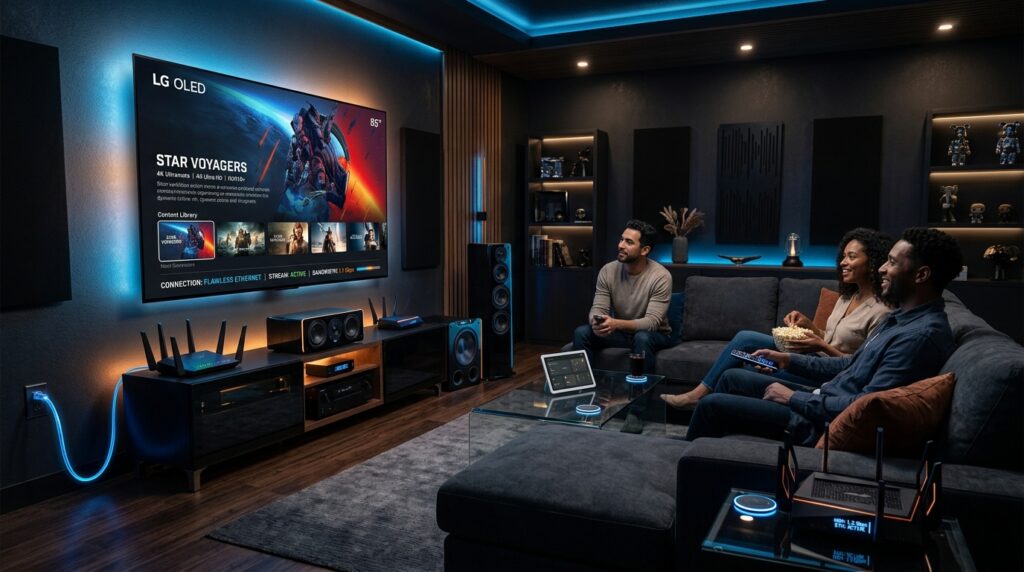
Does a high definition streaming service require a special smart TV?
No, but your television must support the corresponding resolution (1080p or 4K) and possess a compatible native app or external streaming device to display the highest tier of visual output. If your display is limited to older hardware standards, the incoming video feed will automatically downscale to match those physical screen limitations.
Can audio quality impact the perceived resolution of a video stream?
Yes. Many platforms bundle premium audio formats like Dolby Atmos with their top video tiers, as high-fidelity spatial audio significantly enhances the overall immersion and perceived clarity of the video. When sound is muddy, the human brain often perceives the accompanying visual image as lower quality than it actually is.
Is physical media still superior to a modern high definition streaming service?
Yes. 4K Ultra HD Blu-ray discs deliver bitrates up to 128 Mbps, which vastly outperforms the compressed 15 to 40 Mbps bitrates offered by internet-based providers. Physical discs do not suffer from network congestion, server drops, or local internet performance dips.
How do I check my actual connection speed inside an app?
Most modern premium media applications include a built-in network testing tool within their main settings menu. Running this utility shows the exact megabits per second reaching that specific device rather than your router. You can compare these metrics against your official subscription plan to see if you are getting what you pay for.
What is the difference between 1080i and 1080p?
The letter “i” stands for interlaced, which means the video displays alternating lines of pixels on the screen. The letter “p” stands for progressive, which draws every single line of pixels simultaneously for a much smoother picture. Progressive scanning is superior for tracking fast sports and action movies without trailing blur.
Why do old TV shows look bad on a new high definition streaming service?
Older television programs were captured using an entirely different aspect ratio and physical analog film elements. When modern platforms stretch or upscale this old media to fit widescreen displays, it can expose grain and scanning flaws. Some services offer remastered versions, but the source material inherently limits how clear the final image can look.
The Ultimate Verdict on Choosing a High Definition Streaming Service
Finding the perfect balance between cost and image clarity requires evaluating your specific home hardware setup. If you own an elite television, settling for compressed basic streams wastes your panel’s advanced technical capabilities. It pays to look beyond mainstream applications and analyze specialized providers that offer better overall data transmission.
Take a look at your current entertainment expenses and check if your providers are hiding premium features behind expensive paywalls. Discover affordable ways to upgrade your library by reviewing the latest IPTV pricing configurations online. Investing a small amount of time into optimizing your network setups ensures every movie night feels like a trip to a premium theater.